

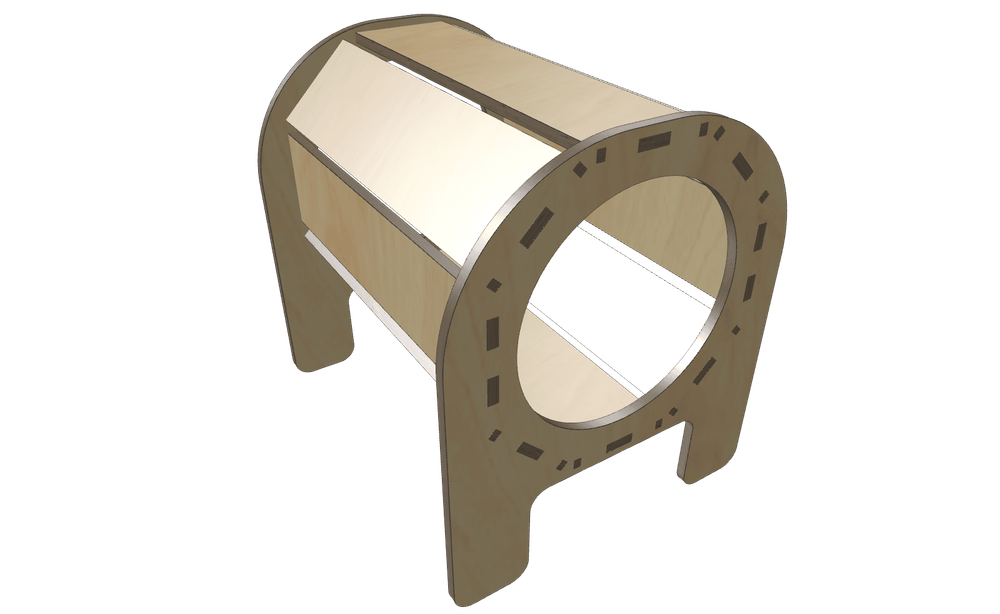
New Feature Fridays: G‑Crafter Goes Manifold (Part 2)
Manifold Was the Headline. The Real Story Is That It Broke Open Everything Else.
Going all-in on manifold didn’t just make booleans fast. It also let me finally stop asking bounding boxes to do things they were never emotionally prepared to handle.
Before this, a lot of the intersection logic relied on bounding boxes. And to be fair, bounding boxes are great if your parts are nice, obedient, axis-aligned little citizens.
But the moment rotation shows up, that relationship starts getting toxic.
A normal bounding box doesn’t rotate with the object. It just sits there, axis-aligned, confidently being wrong in increasingly creative ways. So once parts started existing at useful angles, intersection logic became less “geometry” and more “vibes.”
The Era of Boxes Telling Lies
So naturally, I made an oriented bounding box.
That helped a lot. Now the box could rotate with the object, which meant I could support rotation on one axis and still get meaningful intersection results.
Progress!
But also: one axis.
Which is adorable if you live in a universe with only one axis. Unfortunately, G‑Crafter does not.
So while that was a real step forward, it was also very much a stepping stone. Because if parts can rotate in 3D, then intersection logic has to stop acting like the rest of reality is an optional DLC.
Then Manifold Showed Up and Ruined Approximation for Everyone
Once manifold became the foundation, it changed the whole approach.
Instead of trying to build smarter and smarter boxes to guess at what solids were doing, G‑Crafter can now use the actual geometry to compute intersections. Rotate things back, resolve cuts from the real solid, and work from what the shape actually is instead of asking a rectangular container to make a highly confident guess.
Which is, unsurprisingly, way better.
Fewer weird misses. Fewer “those are literally touching” moments. Fewer situations where the model looks fine until you ask it to do anything useful.
Basically, the geometry got less fake.
Huge win.
Finger Generation Got Taken Out Back and Rebuilt
And since I was already elbow-deep in the foundations, I completely rewrote how fingers are generated.
Not “improved.” Not “refined.” Rewritten.
The old approach did its job, but it belonged to an earlier version of the system — one where the geometry underneath had more caveats and more fragile assumptions. Once the base got stronger, it made way more sense to rebuild finger generation properly than to keep stacking patches on top of a stack of previous patches and hoping nobody noticed.
Now it’s cleaner, more predictable, and much better behaved.
Which is great, because finger joints have a special talent for finding exactly where your geometry logic is weakest and then throwing a party there.
Mitres: Crispy Corner Technology
I also added mitres, because if you’re already rewriting reality, you might as well let corners look fantastic.
Mitres give joints a cleaner, sharper finish and make corners feel intentional instead of merely tolerated. It’s one of those details that instantly makes things feel more polished.
Very serious engineering term: crispy.
PartLab Also Got a Bunch of Love
And since apparently I had chosen not to sleep, PartLab got a bunch of improvements too.
For anyone new to it, PartLab is basically G‑Crafter’s illustrator-like drawing tool — the part where rectangles go to stop being rectangles and start becoming actual design work.
It got a lot of bug fixes, a lot of UI improvements, and a general round of cleanup that makes the whole experience feel smoother and less likely to randomly test your patience.
Which matters a lot. A tool like that should feel creative, not combative.
Rendering Also Quietly Leveled Up
Materials got updated. Lights got improved. A bunch of other little fixes came along too.
Because once you start pulling on one foundational thread, you discover it is attached to half the sweater and also several unrelated sweaters somehow.
So yes, this ended up touching way more than just booleans.
This Was A Ridiculous Amount of Work
From the outside, this might sound like a neat batch of upgrades.
Better intersections. Rewritten fingers. Mitres. PartLab fixes. UI improvements. Rendering polish.
Very tidy. Very presentable. Completely disrespectful to the amount of work involved.
Because this kind of change doesn’t live in one feature. It crawls through the whole system. Change the geometry pipeline and suddenly cuts, joints, rendering, tooling, fabrication logic, and weird edge cases all come crawling out of the walls demanding attention.
So to say “this was a lot of work” would be an insult to a lot of work.
But it’s the good kind. The kind where the engine stops fighting itself. The kind where the app gets more truthful about geometry, less fragile under pressure, and way better positioned for everything that comes next.
And honestly? That’s the kind of work that’s worth it.