

New Feature Friday's on Wednesday: You Can Finally Line Things Up in PartLab Without Doing Desk Math
There are features that sound small until you actually need them.
This is one of those.
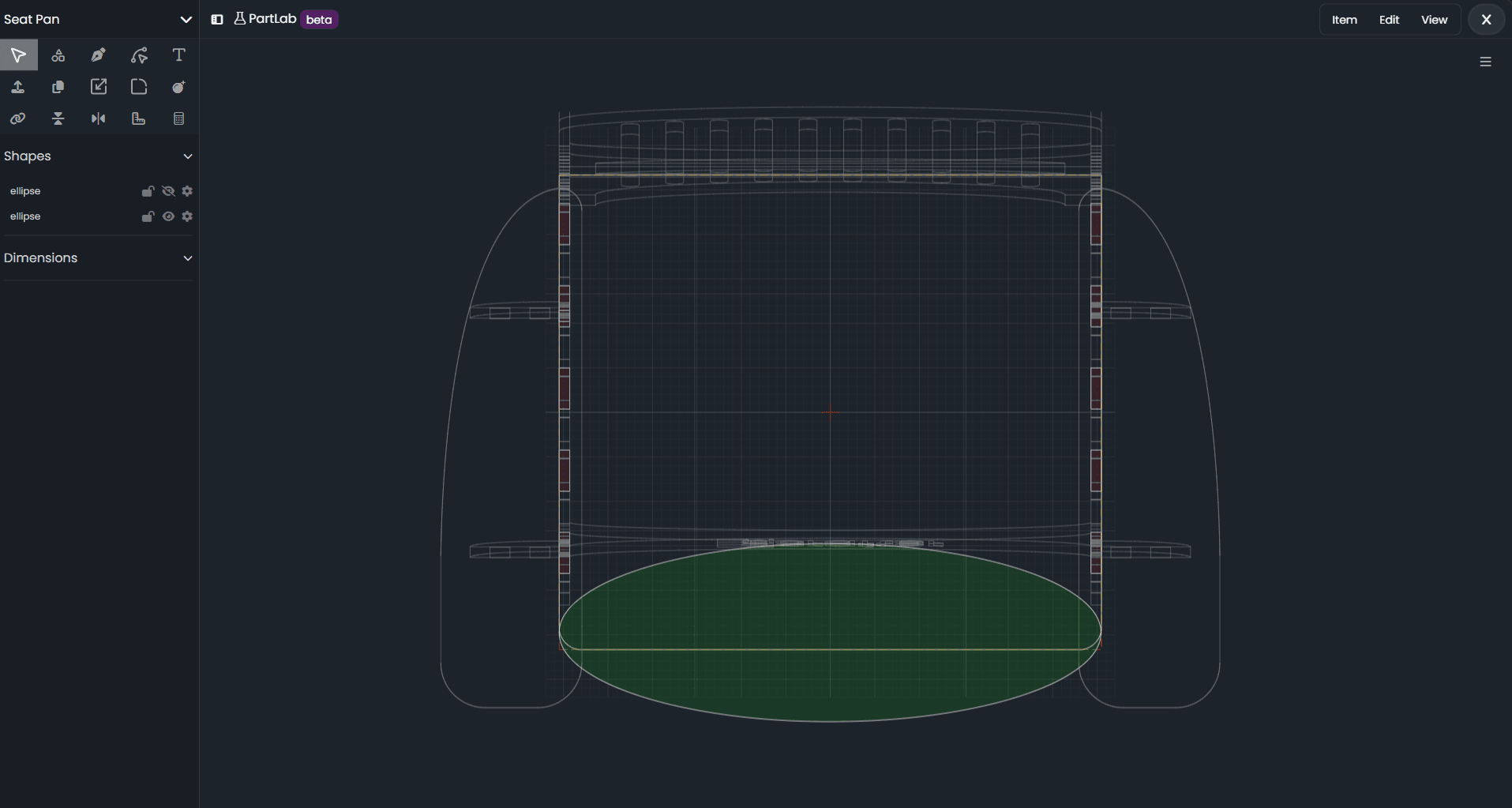
You can now see the other parts in PartLab while you work.
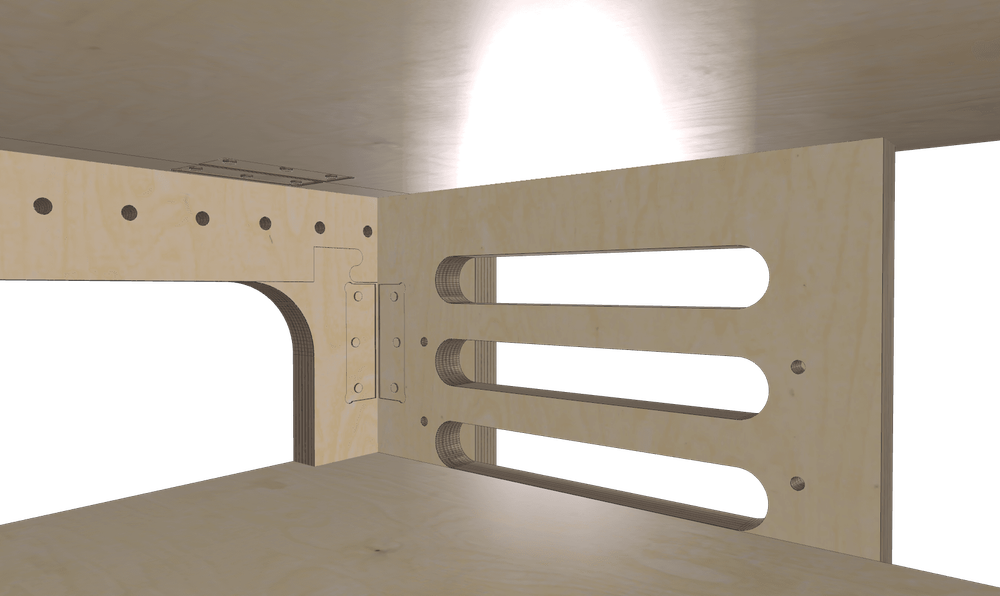
Which means if you’re lining up something that spans multiple parts — like a hinge, hardware placement, matching cutouts, or anything else that absolutely has to land in the right place — you can now do it visually, in context, without reaching for a calculator and without trying to reconstruct the whole assembly in your head like some kind of exhausted geometry wizard.
And let me tell you: getting here was not the simple little “just show a 2D view” task it had the audacity to appear to be.
Because recently we added part rotation, which is great. Very powerful. Very useful. Also the exact moment this innocent-looking feature turned into a three-day street fight with projection logic.
You’d think generating a clean 2D view of a rotated 3D part would be easy.
It is not easy.
It is, in fact, a deeply disrespectful problem.
But now it works.
And the result is a feature that makes PartLab dramatically more practical for real-world design work.
What this means for you
Before this update, editing a part could feel a little too much like:
- working on one piece in isolation
- eyeballing alignment
- mentally estimating where everything else probably is
- convincing yourself “that looks close enough”
- discovering later that “close enough” was a lie
Now, you can bring in the surrounding parts and line things up while actually seeing the relationship between them.
So if you need to:
- place a hinge across two parts
- align features from one panel to another
- match openings, slots, or hardware positions
- make sure one part actually relates to the next part the way you intended
…you can do that directly in PartLab, with context.
No calculator. No guesswork. No sticky note full of offsets. No ceremonial measuring ritual.
Just line it up.
Why this matters
Most real projects are not made of one lonely part floating in space.
They’re assemblies. Systems. Groups of pieces that have to work together.
And when those parts interact, context matters.
A lot.
The difference between “looks right” and “is right” usually comes down to being able to answer questions like:
- Where does this part sit relative to the others?
- If I rotate this, what does that do to the 2D working view?
- Does this hole, cutout, or feature still land where I think it does?
- Can I place hardware across multiple parts without doing manual math?
Now, that process is much more direct.
PartLab gives you the view you need so you can make decisions visually, the way you naturally want to work.
The real win: less thinking about coordinates, more thinking about the project
This feature is ultimately about reducing friction.
You should be designing the thing.
You should not be:
- translating positions by hand
- double-checking angles with a calculator
- trying to remember which rotated part is now “up” in a flattened view
- muttering “how is this harder than it sounds” at your screen
We’ve done that part already.
So now, when you’re working on a part, you can actually see the other pieces you need to align against and move forward with confidence.
That’s the whole point.
A very practical example
Let’s say you’re placing a hinge across two parts.
That’s exactly the kind of task that sounds straightforward right up until the parts are rotated, viewed from different orientations, and need to line up in a usable 2D workspace.
Before:
You’re measuring, estimating, checking, adjusting, and maybe bargaining with the universe.
Now:
You turn on the other parts in PartLab and line it up visually.
That’s a better workflow.
It’s faster, clearer, and much closer to how people actually think while building things.
Small announcement. Big quality-of-life improvement.
This is one of my favorite kinds of updates.
Not because it’s flashy.
Because it removes a specific kind of pain.
The kind where the software technically lets you do the job, but makes you work way too hard to get there.
This update makes PartLab better at helping you do real assembly-aware design work, especially when rotation enters the picture and everything gets weird.
So yes, this is Feature Friday on Wednesday.
Because the calendar is a suggestion, and the feature is good.
In summary
You can now see other parts in PartLab and line things up in context.
That means:
- easier alignment across parts
- better placement of hinges and hardware
- less guesswork
- less manual calculation
- a much more usable workflow for real assemblies
Or, put more simply:
You can finally line stuff up without doing math on the side like it’s a punishment.
Happy Making,
Andy