

Free Kitchen Cabinet Design Software: 10x10 Kitchen Tested
Posted: October 29, 2026 in #Wood Nerds
Free Kitchen Cabinet Design Software: 10x10 Kitchen Tested
Key takeaways
- No single free kitchen cabinet design tool delivers layout, cut list, and cut-ready CNC parts in one workflow.
- MakerCase and boxes.py export clean, watermark-free DXF and SVG in minutes but generate boxes, not full kitchens.
- Fusion's personal license is free and parametric, but joint geometry is manual and the free tier caps active projects.
- SketchList 3D produces cut lists with cabinet logic, while GCrafter exports parametric finger joints with kerf and dogbones handled.
- Upgrade to paid once you sell work, hit export walls, or waste hours patching joint workflows by hand.
Most free kitchen cabinet design software gives you a pretty render and no cut list, so we ran the same 10x10 kitchen through every free tool we could find and recorded exactly where each one broke. You get the honest results below: which tools export cut-ready parts, which watermark your drawings, and which ones choke on a face frame. If you cut sheet goods on a CNC or laser and want parts your machine can actually cut, the short answer is that no single free tool does all of it, and we show you what each one leaves out.
What counts as 'free' kitchen cabinet design software — and where the catches are?
"Free" splits into four flavors, each with a different catch.
Trials that expire
Time-limited trials (Cabinet Planner's 30-day trial, per Sawmill Creek's cabinet software thread) let you finish one project, then the tool stops. Fine for a single kitchen, useless as a standing part of your workflow.
Freemium tools that lock exports
Browser-based freemium tools let you model anything but hold the DXF or cut list behind a paid tier. You design free, then pay to cut.
Watermarked renders
Some free tiers export drawings stamped with a watermark, which is disqualifying if the drawing goes to a client.
Open-source, with the learning curve
Fully free options like Fusion's personal license exist, but the catch is time. Even experienced users resort to add-ins and tweaking for tabbed sheet assemblies, as one forum user described with the Fingerjoints add-in. GCrafter takes a different angle: design the joints, get cut-ready parts.
Which free tools actually run on Mac?
Browser-based: OS doesn't matter
MakerCase and boxes.py run in the browser, so macOS, Windows, or Linux makes no difference. You open a tab, set your box dimensions and finger joints, and export SVG or DXF. The tradeoff is scope: these generate boxes, not kitchens, so a 10x10 layout means assembling many separate exports yourself.
Desktop Mac builds
Fusion ships a native Mac version, and its parameter-driven approach handles cabinets once you push through the learning curve. SketchList 3D also runs on Mac as a dedicated woodworking design tool. The Windows-only trap sits with cabinet-specific packages: several cabinet planners popular on woodworking forums have no Mac build, so check system requirements before committing time to a trial.
Which free cabinet design software offers true 3D visualization?
There are three kinds of 3D in this space, and they solve different problems.
Parametric 3D in Fusion
Autodesk Fusion gives you real parametric solids: change a width parameter and the whole cabinet updates, joints included. That power costs time. As one Sawmill Creek put it, "There's a learning curve to that though" when describing parameter-driven cabinet design. Fusion is free for personal use, but you're modeling joinery yourself, finger joint by finger joint.
Generator-based 3D
MakerCase and boxes.py skip modeling entirely. You type dimensions, pick a joint type, and get a preview plus cut-ready geometry in minutes. The 3D view is functional, not photoreal: it confirms the box fits together, nothing more. For drawers, boxes, and simple carcasses, that speed beats parametric control.
Render quality vs. cut readiness
If you're selling to clients, pretty renders close deals. One forum user switched from Cabinet Planner ($60) to KCD ($160/month) mostly for "how much better quality the 3D renderings are". But renders don't cut plywood. Decide whether your 3D is for you or for the customer.
Can free cabinet design software export cut lists or shop drawings?
Free cabinet tools split into two camps: those that give you a parts list and those that give you cut-ready geometry. Most give one, not both. Here is what each actually outputs for a 10x10 kitchen run.
Cut lists
SketchList 3D generates a cut list with dimensions and material assignments from the model, which is why cabinet shops tolerate its learning curve. PanelOrca handles cut lists and sheet layout for table-saw work but does not model joints. MakerCase and boxes.py skip the list entirely; the flat parts are the list.
DXF and SVG for CNC and laser
| Tool | Cut list | DXF/SVG | Joint geometry |
|---|---|---|---|
| MakerCase | No | Yes | Finger joints, boxes only |
| boxes.py | No | Yes | Many box styles, parametric |
| PanelOrca | Yes | Yes | None |
| SketchList 3D | Yes | Limited | None |
| Fusion (free personal) | Manual | Yes | Manual sketching |
Joint geometry: where free tools stop
Cabinet tools stop at the panel. Box generators stop at the box. Neither tabs a face frame into a carcase, slots a shelf, or adds dogbones and kerf compensation across a full kitchen. That gap is the workflow Fusion users patch together with add-ins, and it is where GCrafter starts: design the object and the joints, export parts your machine can cut.
How do the top free tools handle a real 10x10 kitchen layout?
The test layout
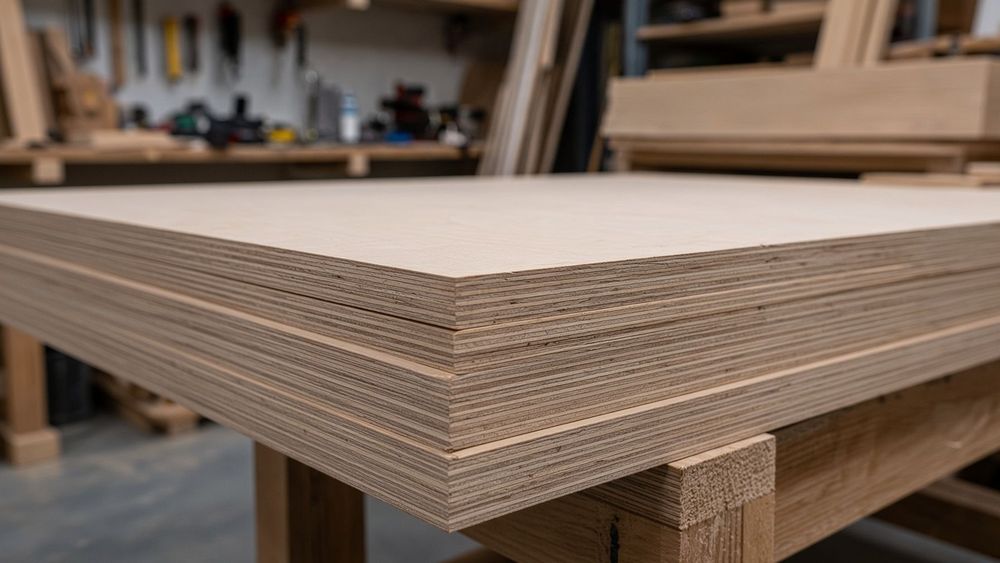
I drew the same 10x10 kitchen in each tool: eight face-frame cabinets, two sink-base boxes, a fridge return, and a 3-inch toe-kick setback, all 3/4-inch Baltic birch with 1/4-inch backs. The goal was a cut-ready set of parts for the CNC, not a pretty render.
Results per tool
Autodesk Fusion handles the geometry fine, and its personal-use license is still free for hobbyists, but the free tier caps active projects and omits some manufacturing outputs, so check the current terms before committing a whole kitchen to it. The parametric approach pays off: model one base cabinet, drive it with user parameters, and the other seven are edits, not redraws. The cost is the learning curve the Sawmill Creek thread describes honestly — "you only have to design the first cabinet or two," but getting there takes real evenings.
Time to a cut-ready part
The long paragraph: what actually breaks down in a 10x10 kitchen is not drawing the boxes, it is the joints and the sheet. MakerCase and boxes.py generate excellent finger joints for a single box in minutes, but a kitchen is nine boxes that must share a consistent kerf, dogbone, and material thickness, and neither tool lets you assemble them or nest them together; you export nine DXFs and pack the 4x8 sheets yourself. SketchList 3D gets you closer with real cabinet logic and a cut list, but the jointery is simplified compared to what a CNC can cut. GCrafter sits in the middle: parametric boxes with proper finger joints, dogbones, and kerf compensation, exported cut-ready per part, though it will not render your kitchen for a client the way SketchList does. Budget a full day in Fusion, an afternoon in SketchList, under an hour in GCrafter, and minutes in the box generators, with the packing work still on you.
What is the best software for cabinet design for DIYers vs. pros?
DIY: one kitchen, ever
If you're building one kitchen for your own house, the free tier is enough. SketchUp Free or Fusion's personal license gets you a 3D model and a cut list you can tally by hand. Your real cost is learning curve, not license fees, and a one-off project doesn't justify paying monthly to flatten that curve.
Small shop: multiple kitchens a year
Once cabinets are for sale, the math flips. Makers on Sawmill Creek report Cabinet Planner at roughly $60 as a one-time buy, and KCD at about $160/month for shops doing several kitchens a year (sawmillcreek.org). At that volume, hours saved on drawings and cut lists pay for the subscription.
The honest line: if you're selling face-frame kitchens, purpose-built cabinet software beats a general CAD workflow. If you're cutting boxes and fixtures from Baltic birch on a 4x8 CNC, parametric joinery tools like GCrafter sit closer to what you actually make.
Where does GCrafter fit — and where does it not?
What it does well
GCrafter is strong exactly where box generators stop: you design the object and the joints, then export cut-ready parts with kerf, dogbones, and beam tolerance handled. Where MakerCase generates a free browser-based box and hands you an SVG or DXF, GCrafter keeps the joints parametric, so a cabinet width change re-cuts every finger and slot instead of forcing a rebuild.
What it doesn't do
It is not a kitchen-layout renderer. No 3D room view, no door-style library, no countertop placement. If your workflow is sketch the box, pack the sheet, cut plywood, GCrafter fits. If you need to show a client a rendered 10x10 kitchen, it does not.
Pricing and commercial use
Pro is $15/mo and includes a commercial license, sized for a solo maker selling on Etsy or Shopify. The honest gap: you'll still need a separate tool for layout and renderings, which is two subscriptions where cabinet-specific suites bundle both.
When should you upgrade from free cabinet design software to paid?
Trigger 1: you're selling. Free tiers of most tools block commercial use or stamp watermarks on exports. Once a customer is paying for the build, a $15/mo Pro plan with a commercial license is cheaper than one redo.
Trigger 2: export walls. If your free tool won't output cut-ready DXF or SVG at the right scale, you're redrawing parts by hand. That's hours per project, and hand-tweaked files are where kerf and dogbone errors creep in.
Trigger 3: joint workflow pain. Box generators like MakerCase and boxes.py handle simple boxes, not cabinets with face frames, shelves, and backs. Fusion works but demands manual tab-and-slot work every time. If you're cutting joints your machine can't run without tweaking, a parametric joinery tool pays for itself fast.
FAQ
Is there a truly free cabinet design software with no watermark?
MakerCase and boxes.py export clean SVG or DXF with no watermark, though they generate boxes, not kitchens. Fusion's personal license is fully free and exports unmarked files. Some freemium browser tools do stamp free-tier drawings, which disqualifies them for client work, so test the export before investing hours in a design.
Can I use free cabinet design software to generate DXF files for my CNC?
Yes, with limits. MakerCase and boxes.py output DXF for finger-jointed boxes in minutes. PanelOrca exports sheet layouts. Fusion outputs DXF but you sketch the joint geometry yourself. What none of them do across a full kitchen is consistent kerf compensation, dogbones, and tabbed face frames in one export.
What do woodworkers on forums recommend for cabinet design software?
The Sawmill Creek cabinet software thread is the most-cited reference: users mention Cabinet Planner's 30-day trial and roughly $60 one-time price, KCD at about $160/month for shops doing several kitchens a year, and Fusion's parametric approach paired with add-ins for tabbed assemblies. The recurring theme is that renders sell kitchens but cut lists build them.
Is Fusion 360 still free for hobbyists and small shops?
Fusion's personal-use license remains free for hobbyists, but the free tier caps active projects and omits some manufacturing outputs, so verify current terms before committing a whole kitchen to it. Commercial use requires a paid subscription, which rules it out for small shops selling work. For a one-off personal build, the learning curve is the real cost.