

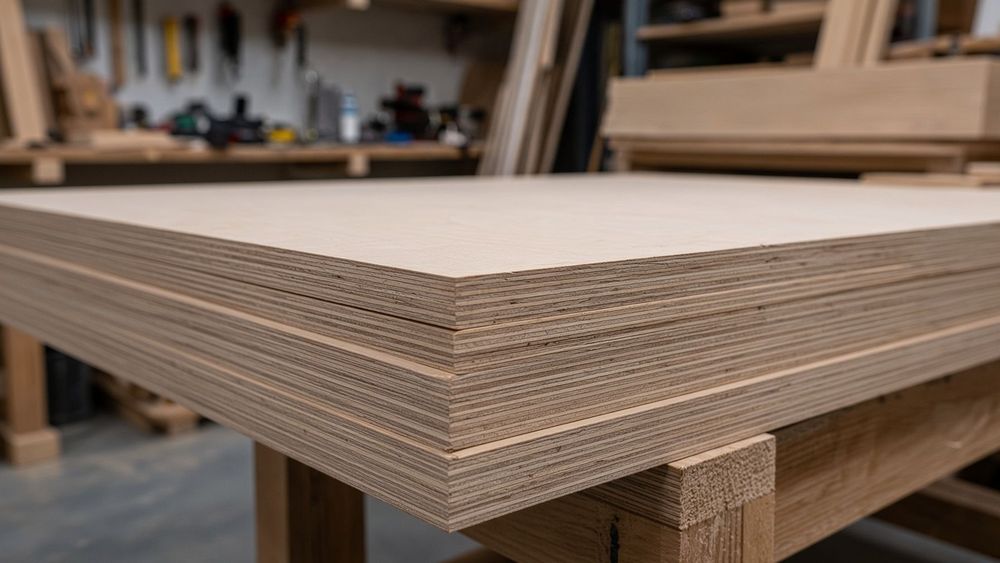
Finger Joints Jig: Match the Kerf, Cut Tight Box Joints
Posted: October 29, 2026 in #Wood Nerds
Key takeaways
- A finger joints jig is a plywood fence with a pin spaced exactly one blade kerf from the cutting edge, indexing every cut for repeatable box joints.
- Never trust the blade's advertised kerf; measure a test cut with calipers and set the jig pin spacing to that exact number.
- Stack mating workpieces face-to-face and cut them together so kerf errors cancel and fingers land in the same spots.
- Loose joints mean the pin is wider than the kerf, tight joints mean it is narrower, and uneven fingers mean the workpiece moved against the pin.
- On a CNC or laser, kerf compensation happens in software, so parametric tools replace the jig pin entirely.
A finger joints jig is a plywood fence with a pin spaced exactly one blade kerf from the cutting edge, and you can build one in an afternoon. This guide walks through the build, the pin-spacing arithmetic for your blade, the cut sequence, and fixes for joints that come out loose, tight, or uneven.
What is a finger joints jig and why do you need one for table saw finger joints?
A finger joints jig is a simple fixture for your table saw: a flat base carrying a pin or key spaced exactly one blade kerf apart, which indexes each cut so the pins and sockets on two boards interlock perfectly. Freehand or hand-cut finger joints depend on your sawing accuracy every single time; the jig makes repeatability mechanical instead of skill-based.
The one measurement that decides whether the joint clamps up tight or rattles loose is your blade's actual kerf, which rarely matches the number on the packaging. Wood Magazine covers how to measure it before laying out a box-joint jig: measuring blade kerf.
For CNC and laser work, the same problem is solved in software; GCrafter handles kerf and joint spacing parametrically so the exported parts cut ready.
How do you build a jig for finger joints on a table saw from plywood and a miter bar?
The jig is simple: a flat base, two runners that ride your miter slots, a back fence, and one pin set exactly one blade kerf from the fence. Everything is scrap plywood and a bolt.
Cutting the base and runners
Start with a base of 1/2" Baltic birch, roughly 20" x 12", large enough to support your workpiece plus room for clamps. Cut two runner strips from hard maple or phenolic to match your miter slots. Test-fit each runner dry: it should slide the full length of the slot with no side-to-side rock but almost no slop. Screw the runners to the base through elongated holes or slots so you can nudge them parallel to the blade, then check with a straightedge against the miter slot. If the runners are even slightly out of parallel, every pass of the jig drifts and your fingers come out uneven.
Setting the back fence and pin
Screw a straight hardwood fence across the base, perpendicular to the blade, tall enough to back both faces of your stock. For the pin, use a bolt, a nail, or a hardwood dowel whose diameter matches your blade kerf. Clamp it to the fence exactly one kerf width from the fence face, measured with calipers, not by eye. Cut the first slot in the jig base itself using the pin as the reference, then test-joint two offcuts before committing real stock. If the fit is loose, move the pin a hair closer to the fence; if it binds, move it back.
How do you match your jig pin spacing to your blade kerf for tight-fitting wood finger joints?
Measuring your blade kerf
Never trust the blade's advertised kerf. Make a test cut in scrap, measure the slot with calipers, and write the number on your jig. A "thin kerf" 1/8" blade often cuts closer to 0.115" once it has a few sharpenings behind it.
The pin-spacing calculation, worked example
The rule: pin spacing must equal the blade kerf exactly, so each cut removes exactly one pin's worth of material and the fingers land on pitch. Say your calipers read 0.132". Set your jig pin to 0.132" from the blade, cut, shift the workpiece over the pin, and repeat. Every finger and every slot comes out 0.132" wide, and the joint assembles with fingers butting slots with no gaps. If you get this wrong in one direction the joint rattles loose; in the other, you are hammering tabs and splitting plywood faces. Glue choice matters too once the fit is right: Titebond's wood glue technical data lists the original Titebond for interior work and Titebond III for waterproof bonds, which is what you want for Baltic birch going outdoors.
Cutting a test joint and adjusting
Cut two scrap pieces, five pins' worth, and dry-fit. Loose by a hair? Increase pin spacing by half the gap. Tight? Decrease it the same way. Uneven fingers mean the workpiece is not seating against the pin consistently, not that your math is off.
How do you cut finger joints wood on the table saw, step by step?
Indexing and stacking workpieces
Set your first workpiece against the pin, make the cut, then drop the kerf you just cut over the pin before the next pass. That slot-to-pin indexing is what spaces every finger exactly one kerf apart. Stack mating workpieces face-to-face and cut them together so their fingers land in the same spots and the kerf errors cancel out.
For a box, cut all four sides in one stack, ends paired and rails paired. Test-fit on scrap before touching your real stock.
Keeping parts labeled and oriented
Pencil a face and an edge on every part before cutting, and mark which end goes against the pin. Flip a part mid-sequence and your fingers land a half-kerf off. Keep the same face against the jig throughout; the show face stays clean and any blade drift stays consistent across the stack.
Which wood species work best for finger joints woodwork and which should you avoid?
Baltic birch is the default for a reason: it's flat, dimensionally stable, and its plies hold a finger's walls without crushing. Cheap softwood plywood delaminates at the pins, and MDF crumbles under any load. Solid wood works but demands grain discipline.
| Material | Finger joint behavior | Watch out for |
|---|---|---|
| Baltic birch | Tight, crisp pins | Kerf varies slightly by batch, test-cut first |
| MDF | Cuts clean, glues well | Weak pins, sags in thin panels |
| Solid oak/maple | Strongest joints | Tearout on crossgrain pins, sharp blades only |
| Pine | Easy to cut | Dents, crushes if fit is tight |
Keep grain running parallel to the pin direction on solid stock; crossgrain pins snap before they shear. Whatever you cut, match the kerf calculation to that exact blade and material stack.
Why are my finger joints loose, tight, or uneven, and how do I fix each issue?
Diagnose by symptom, not by guesswork.
Loose joints. Your pin spacing is slightly wider than your kerf. Re-measure the pin with calipers and shim the jig pin thinner, or take a light cut off the pin face. If the fit was tight on the first few pins and loosened later, your miter bar has slop; wax the bar or add a shim to take up play.
Tight joints. The pin is narrower than your kerf. Wrap the pin with a layer of tape or swap in a wider pin. Also check that your blade is the one you calibrated for; swapping between a single blade and a stacked dado set changes the kerf, so pick one and stick with it. Fine Woodworking covers the dado stack versus single blade tradeoff at finewoodworking.com.
Uneven fingers. One face is proud at the top and flush at the bottom, or fingers drift across the panel. That's workpiece movement against the jig. Clamp or hold the stock tight to the fence and pin for every cut, and check that your first notch was cut against a square reference edge. If fingers get progressively wider, your feed pressure is pushing the work off the pin; slow down and let the pin register fully before each cut.
Burned or fuzzy edges. Slow your feed, or raise the blade height so you're not rubbing plywood face veneer on the way up.
What are knots on finger joints, and are they a woodworking problem or a health question?
Two different topics share these search terms. In the shop, a knot is a section of grain where a branch grew; cutting through one with a finger joints jig can chip the pin face or leave a soft spot in the glue-up. Work around knots by orienting them away from joint faces or picking clearer stock.
On the medical side, people search "lumps on finger joints" for mucous cysts, which are fluid-filled bumps near the joint often linked to arthritis. That is a question for a doctor, not a saw. If you landed here on the health question, this article is about wood joinery.
How do table saw finger joints compare to box joints and dovetails for everyday projects?
Table saw finger joints are the fastest joint you can cut on a jig: one setup, one pin spacing, and every box in a batch comes out identical. Box joints cut the same way but with square pins and often a wider beam tolerance, so they read chunkier and hold glue about the same on plywood. Dovetails resist pulling apart without fasteners, which matters for drawers, but they need a dovetail saw, a router jig, or real layout time per piece. For organizers and Etsy boxes, finger joints win on speed. For furniture you want to sell at a higher price, dovetails justify themselves. One note on lumps: a bump on a finger joint that appears on your hand, not your workpiece, is likely a mucous cyst or ganglion cyst, a medical issue rather than a glue-up problem — see Cleveland Clinic's ganglion cyst overview.
When does a table saw jig stop making sense and a parametric tool take over?
A jig wins when you cut the same joint thickness repeatedly and want sawdust, not software. It loses when a client asks for a 613 mm cabinet instead of 600, because every pin spacing recalculation means rebuilding the setup.
Box generators like MakerCase and boxes.py handle simple boxes but fall apart on tabs, dogbones, or mixed sheet goods. Fusion 360 does everything and costs you a weekend per joint. GCrafter sits in between: you design the part and the joints parametrically, set kerf and beam tolerance once, and export cut-ready DXF per sheet.
Where it falls short: GCrafter does not cut anything. You still own the saw, CNC, or laser, and it cannot rescue a bad nesting layout or a warped sheet of Baltic birch.
FAQ
Can I use a dado stack instead of a single blade for finger joints on a table saw?
Yes, and it lets you widen the fingers beyond your single blade's kerf. The catch is calibration: the stack's total width becomes both your cut width and your pin spacing, so measure it with calipers the same way and reset the jig pin to match. Pick one setup and stick with it for the whole project.
What size should the fingers be on wood finger joints for 1/2-inch plywood?
A good default is fingers roughly equal to the stock thickness, so about 1/2 inch wide, which keeps pin walls strong and looks proportional. On a table saw jig, your finger width is ultimately set by the blade kerf and pin spacing, so for wider fingers use a dado stack sized to the pitch you want.
Why do my finger joints burn or leave saw marks on the edges?
Burning usually means slow feed, a dull blade, or the workpiece rubbing against the blade on the way up out of the cut. Raise blade height so the cut shears cleanly, speed up your feed rate, and check the blade for pitch buildup. Fuzzy edges on plywood often mean the face veneer is tearing rather than cutting.
Do I need glue on every finger, and what glue works best on Baltic birch finger joints?
Glue every finger; a dry pin is a weak pin and the whole point of the joint is surface area. For Baltic birch staying indoors, original Titebond is fine. For anything exposed to moisture, use Titebond III for a waterproof bond. Spread a thin coat on both mating surfaces and clamp until the squeeze-out beads evenly.
How do I cut finger joints on a laser or CNC instead of a table saw?
On a laser or CNC, kerf compensation happens in software instead of a jig pin. You set the beam or bit width and the finger pitch parametrically, and the tool offsets the toolpaths so parts fit after cutting. Generators like GCrafter handle this and export cut-ready DXF, but you still need to verify the fit on a test piece.